Rondo Join the waitlist

Tranquillo ♩ = 96

Your inbox, prepared.

Rondo brings every account into one calm app for iPhone, iPad and Mac, then has your day ready: what needs you, replies in your own voice, answers with sources. AI runs on your device when it can, and nothing leaves without your say.

Sample inbox · three accounts: Work on Gmail, Personal on Outlook, Family on iCloud. Hover or tab through the notes to read them.
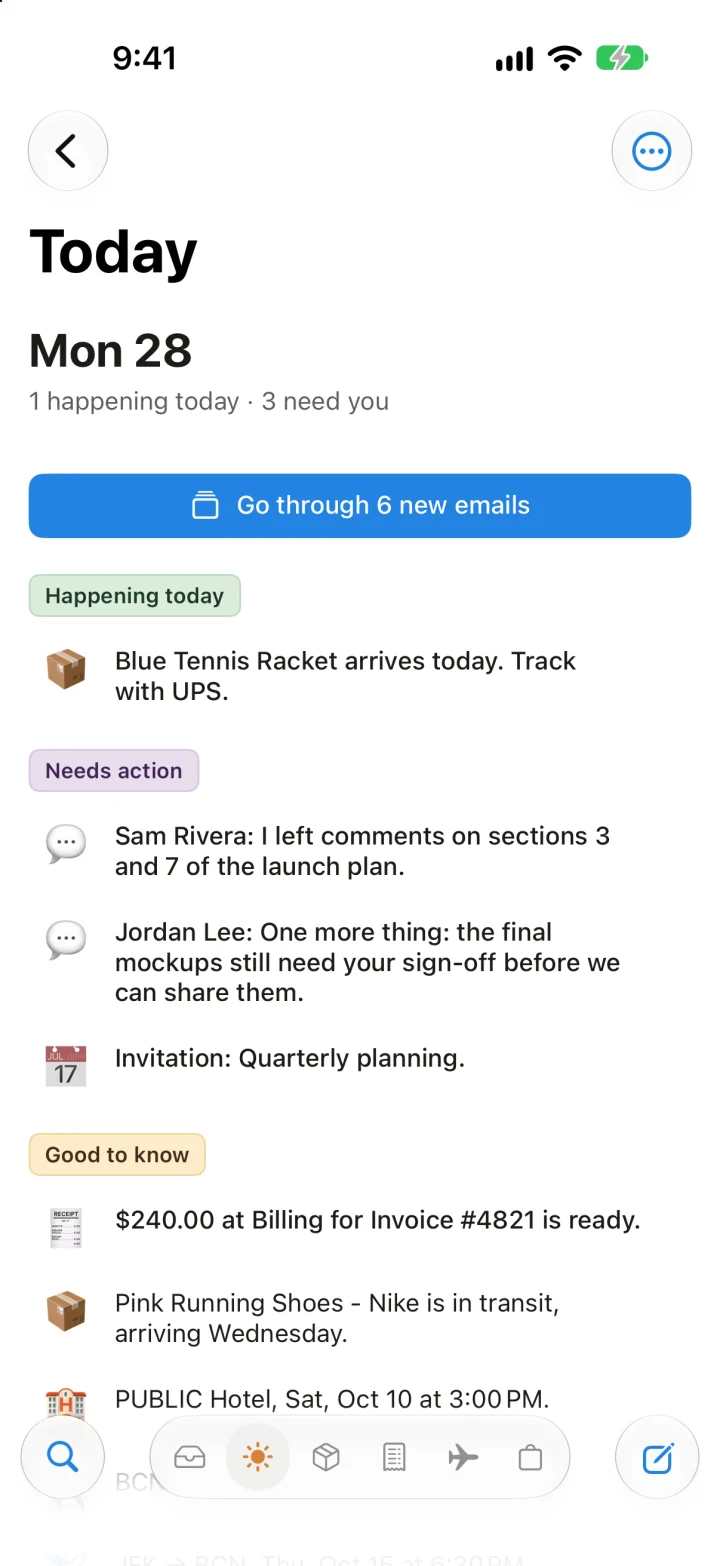
Rondo's Today page on iPhone, showing Mon 28: 1 happening today, 3 need you, a button to go through 6 new emails, and the day's mail sorted into Happening today, Needs action and Good to know.

20 emails 3 need you

Andante

The day, prepared.

Today gathers what's happening, what needs you and what's good to know from every account, before you open a single email.

  • What needs you, first

    Rondo reads each new email and marks it Needs action, Good to know or Low priority, so the few that matter lead and the rest can wait.

  • Happening today

    Deliveries arriving, flights, hotel check-ins and invitations show up on the day. Receipts, travel, packages and shopping each get their own page.

  • One at a time, on iPhone

    Go through new emails shows one message at a time: archive it, keep it, reply, or leave it for later. Undo is always a tap away.

  • Tell it once

    Mark an email Good to know and Rondo offers to do the same for that sender from now on. Your corrections become rules you can see and change.

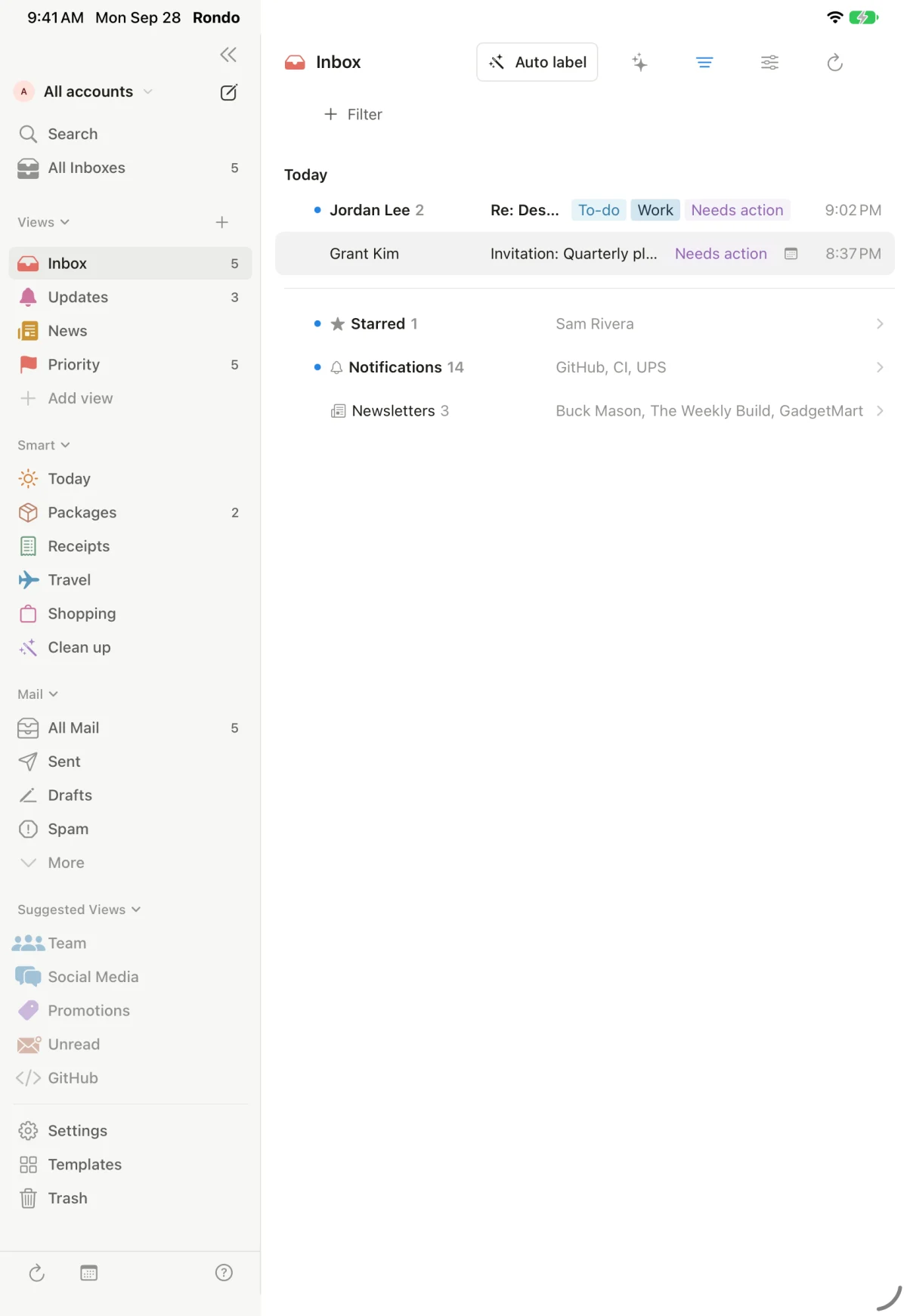
Rondo on iPad with the sidebar of views and smart pages, and an inbox where Jordan Lee's design review is tagged To-do, Work and Needs action, followed by bundles for Starred, Notifications and Newsletters.
Sample mail on iPad. The tags come from Rondo reading each email.

Scherzando

Ask your inbox. Get sources.

Ask in plain words. Rondo finds the emails that answer it and replies with numbered sources you can open, so you can check every word.

Found 2 emails

Your Delta flight DL 169 from Barcelona leaves Sat, Oct 10 at 8:00 AM and lands at JFK at 2:40 PM 1. You fly back on DL 168, Thu, Oct 15 at 6:30 PM 2.

  1. 1Delta Air Lines · Your flight confirmation: BCN → JFKSep 27
  2. 2Delta Air Lines · Your flight confirmation: JFK → BCNSep 27
Your AI provider · sends your question and short excerpts from these emails only
  • Only your mail

    Answers come from the emails on your device, not the web, and every claim links back to the email it came from.

  • No exact words needed

    Ask where you're staying and Rondo finds the hotel reservation. Ask about a flight and it finds both legs of the trip.

  • Questions about one email, too

    Open a conversation and ask what it's about, what's being asked of you, or when something is due. Summaries and suggested replies sit right there.

Da capo

Back to Today. Sam's question had its answer in the mail: the pricing table, by Thursday. Done.

2need you

Cantabile

Replies that sound like you.

Rondo learns how you write from the mail you've sent, then drafts replies that open, get to the point and sign off the way you do. You send them. It never does.

How Alex writes, learned from 3 sent emails

  • Opens with "Hi" and the person's first name
  • Short, direct sentences; the point comes first
  • Friendly but businesslike; rarely an exclamation mark
  • Ends with a clear next step and a day
  • Signs off "Best," and first name

Personal instructions · Rules the AI follows whenever it writes for you, like "Never promise a date before checking with Priya."

  • Prepared in advance

    Turn on Prepare replies in advance and emails that need an answer get a draft waiting in the conversation. Use it, edit it or discard it.

  • Write with AI

    Press space on an empty line in the composer to ask for a draft, or rewrite what you've written in a different tone.

Re: Design review on Friday

Needs actionTo-doWork
Jordan Leeto me, Priya · 95 min ago

One more thing: the final mockups still need your sign-off before we can share them.

Reply ready · in your voice

Hi Jordan, Thanks for the nudge. I'll review the final mockups today and send my sign-off by end of day. Best, Alex
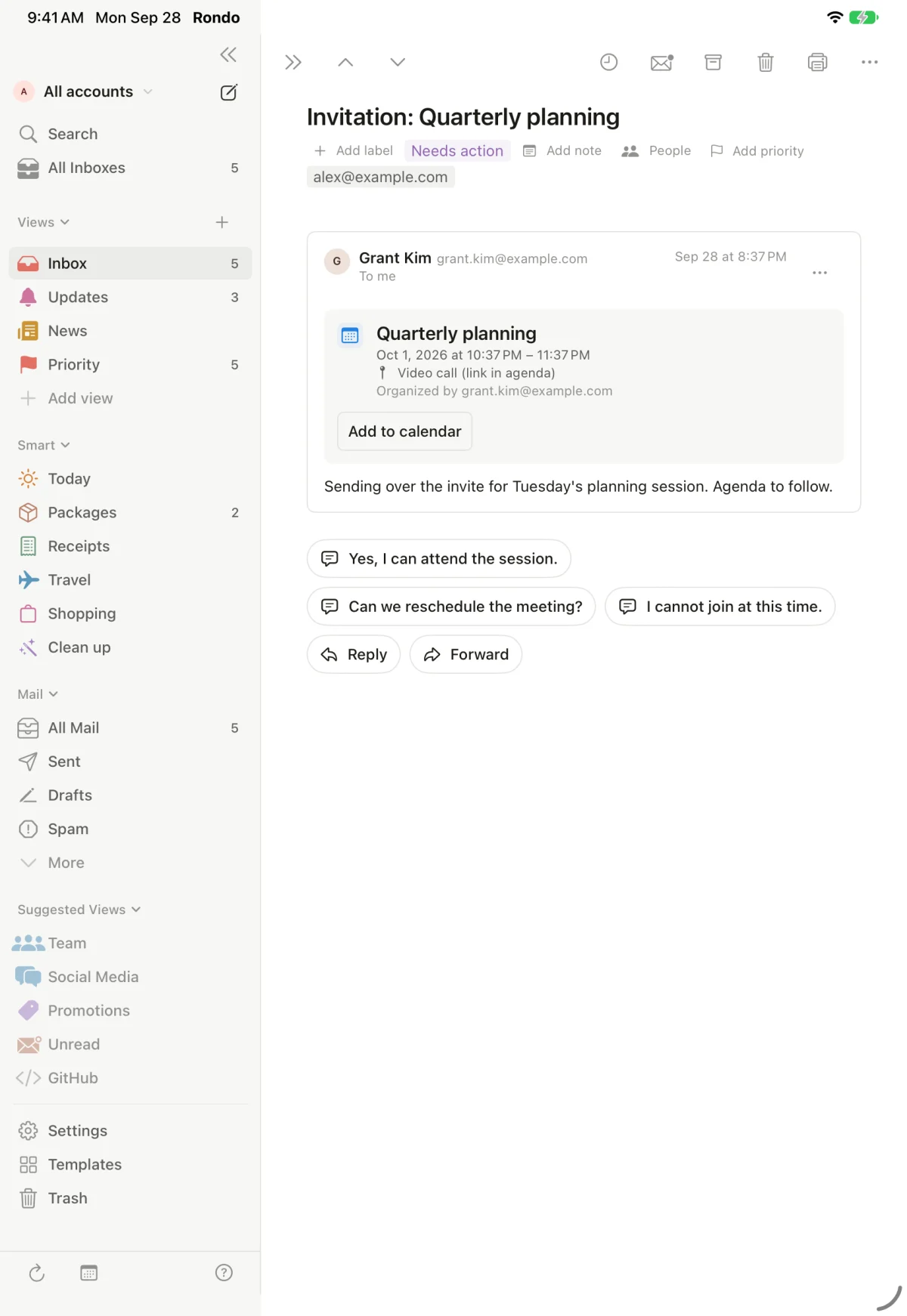
An invitation for Quarterly planning on iPad, with three suggested replies: Yes, I can attend the session; Can we reschedule the meeting?; I cannot join at this time.
Suggested replies for an invitation, written on the device by Apple's on-device model. Sample mail.

Da capo

Jordan's sign-off went out, in your voice.

1needs you

Con permesso

Assistants, on your terms.

Let Claude, ChatGPT, Cursor or any app that speaks MCP work with your mail from your Mac, only as far as you allow. You set a clearance for each account. Sending always asks.

Workalex@example.com · Gmail
Personalalex.morgan@example.net · Outlook
Familymorgan.family@example.org · iCloud

Work: assistants can read, draft, archive and label, and they can send, but Rondo asks you every time.

Claude wants to send an email From Work to grant.kim@example.com: "Yes, I can attend the session."
  • Off until you turn it on

    Agent access lives in Settings → Agents. It accepts connections only from your own Mac, with a secret token you copy into the assistant.

  • Every action is yours to allow

    Reading is allowed once you give an account a clearance. Drafting, archiving and labelling ask first by default. Sending always asks, and an unanswered request expires.

  • A log without content

    Rondo records what each assistant did, when and in which account, never the words of your mail, and you can clear it any time.

This email contains instructions aimed at AI assistants. Rondo's AI won't follow them.

Mail can't give orders.

Emails are written by strangers. Before any AI reads one, Rondo removes text you can't see, marks the email as content rather than instructions, and flags messages that try to talk to AI assistants. What the AI writes back is cleaned of images and disguised links.

Siri and Shortcuts "What's new in Rondo" "Show today in Rondo" "Find emails in Rondo" "New email in Rondo"

Da capo

The planning invite answered by your assistant, after you allowed it.

0inbox at rest

Deciso

Decisions, in a heartbeat.

Rondo works with Jev, a decision model from TypeSafe. It doesn't write: it answers the questions you ask about each email, yes or no, one of your categories, or a place on your scale, in a fraction of a second, for a fraction of a cent.

Lens Yes / no

Is the sender waiting for a reply from me?

  1. Sam RiveraLaunch plan: comments on the draft
  2. Jordan LeeRe: Design review on Friday
  3. Delta Air LinesYour flight confirmation: BCN → JFK
  4. The Weekly BuildIssue 112: shipping faster
  5. Billing PortalYour account statement is ready
5 emails answered in 0.3 s · less than a cent for thousands
  • Lens: your whole mailbox, charted

    Ask a question of hundreds of emails at once and see the answers as a table and charts. Filter by any answer, save it as a view, or start from templates for your line of work.

  • It keeps watch

    Jev sorts what's important and waiting on you, notifies only for mail that matters, warns about scams, and clears sign-in codes away after 15 minutes.

  • A second look before things go

    As you send, it looks for a harsh tone, a wrong name or a password. When an assistant wants to act, it checks what's about to happen first.

  • Teach it once

    If Jev gets one wrong, correct it for that email or for everything from the sender. Rondo remembers, and your answer wins.

Optional, and off until you turn it on for an account. Jev uses your own TypeSafe key, straight from your device; only what each question needs is sent, never attachments, and TypeSafe doesn't train on it.

Tutti

Every account. Every detail.

One native app for all your mail on iPhone, iPad and Mac, with the small things done properly.

Accounts Rondo works with

  • Gmail
  • Google Workspace
  • Outlook.com
  • Microsoft 365
  • iCloud Mail
  • Yahoo
  • Fastmail (JMAP)
  • AOL
  • Zoho
  • Any IMAP server

Triage ff

  • Smart InboxPeople first; notifications and newsletters wait in their own bundles.
  • New sendersScreen first-time senders before they reach your inbox.
  • Tidy upRondo proposes what to archive or unsubscribe from, in batches, and nothing happens until you apply it. Undo brings it all back.
  • Clean up sendersSee who mails you most and keep or unsubscribe in one tap.
  • RemindersBring a conversation back when you need it, or when nobody replied.
  • Instant, with UndoActions happen at once and offer Undo, on every device.

Writing mf

  • Undo send and send laterTake back a message in the first seconds, or schedule it for the right moment.
  • Checks before sendingRondo warns about lookalike domains, someone new added to a conversation, a mentioned attachment that's missing, and unfilled placeholders.
  • Snippets and templatesReuse what you write often, with a signature per account.
  • Share your availabilityPick free times from your calendar and drop them into a reply.
  • Reply from the right accountReplies and Reply all come from the address the mail was sent to, with the quoted text.

Organize p

  • Views and labelsBuild your own inbox views. Describe a label in words and AI can apply it to new mail.
  • Private notesAdd a note to any conversation. Notes stay on your device and never go to any AI or assistant.
  • CalendarUpcoming events beside your mail, and invitations added in one tap.
  • Search that's instantFull-text search of your mail, on the device, even offline.
  • Keyboard firstGmail-style keys on Mac and iPad, and a command palette.jkerc/⌘K
  • Coming from Notion MailImport your snippets and AI label rules from an export file.
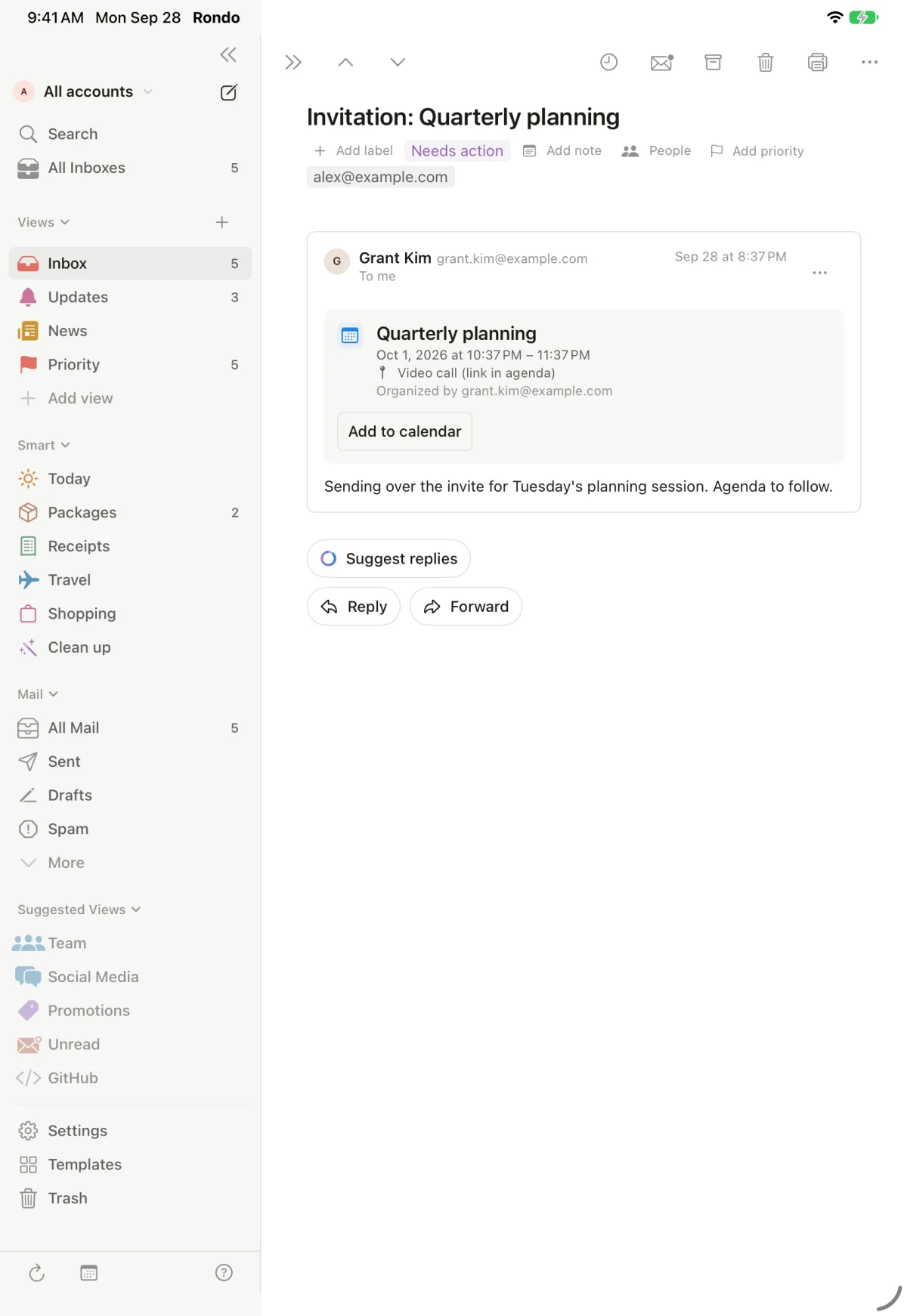
A calendar invitation for Quarterly planning on iPad, with an Add to calendar button and a Suggest replies button.
Invitations open with the details and Add to calendar. Sample mail.
The Today page on iPhone, continuing with Good to know: a receipt, a package in transit and a hotel reservation.
Today on iPhone, with Good to know: receipts, packages and travel. Sample mail.

Sotto voce

Nothing leaves without your say.

Rondo has no servers. Your mail comes straight from your provider to your device and stays there. When a feature uses AI, Settings shows exactly where it runs.

Where each AI feature runs with the Automatic setting. You can change any of them in Settings → AI.
FeatureWhere it runsWhat leaves your device
SummariesOn this device*Nothing
Suggested repliesOn this device*Nothing
Questions about one emailOn this device*Nothing
Ask your inboxYour AI providerYour question and short excerpts from matching emails
Replies in your voiceYour AI providerThe conversation, and excerpts of your sent mail when learning
Automatic labelsYour AI providerSender, subject and first lines, for labels you described
Tidy upYour AI providerSenders, subjects and dates
Jev decisions (optional)TypeSafe, with your keyOnly what each question needs: sender, subject and the email's own words, trimmed; never attachments
  • No servers, no trackingNo accounts with us, no analytics, no ads, no crash reporting.
  • Your provider, your key, or noneConnect Claude, OpenAI, Gemini, another service or a model on your own computer. Requests go straight there; we never see them.
  • Keys stay in your KeychainSign-ins and AI keys never sync anywhere.
  • Never used for trainingYour mail isn't used to train or improve any AI model.

* On devices with Apple Intelligence; otherwise your AI provider. Read the full privacy policy.

Your inbox, at rest.

Rondo is in private beta for iPhone, iPad and Mac. Join the waitlist and we'll send you a TestFlight invitation.